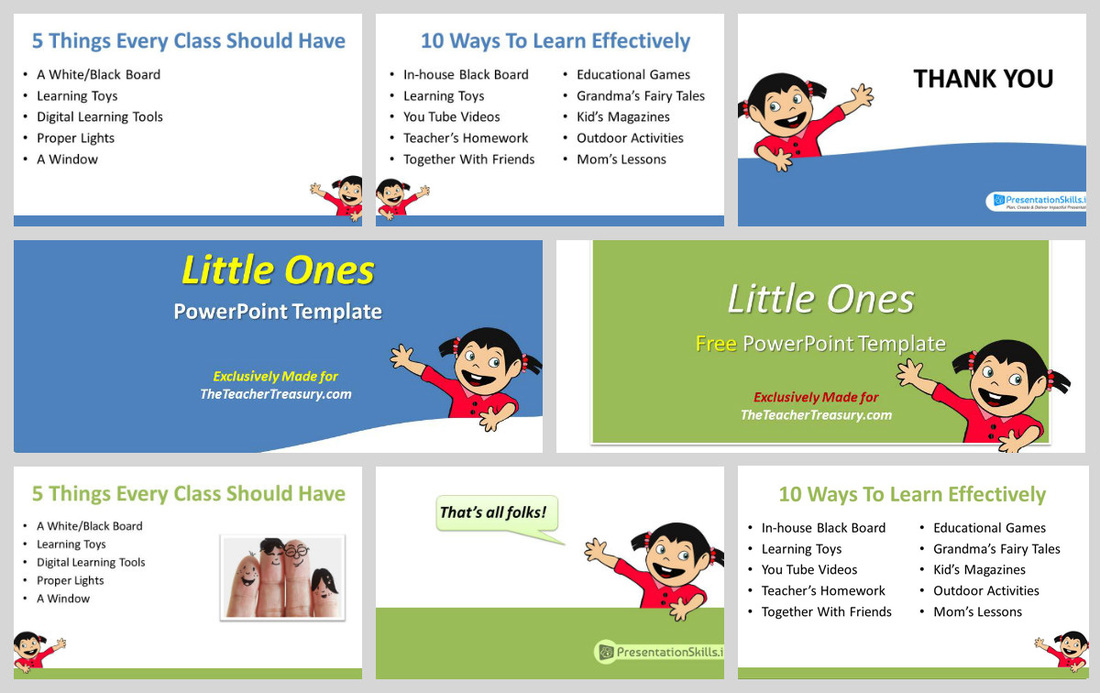
 We all have that one presentation to make for a special day, event or lesson plan. There are many resources available however, the two major things while considering a template are – an elegant look and the ability to accommodate the content. In other words, a minimalist theme with a child-friendly design. So here’s an exclusive template made by PresentationSkills.info – a site dedicated to PowerPoint. This one is a gift to all the dear teachers & readers of TheTeacherTreasury.com. Four reasons I recommend this template for every teacher: 1. Minimalistic Approach: Easy-on-the eyes with Soft colors and professional look. 2. Flexible: Simply choose the layout from slide master and bingo; it allows you to add images or text as you like. Oh yes, it comes in two variants – with and without animation! Ain’t that cool? :) 3. Slide Master Driven: You are free to choose the fonts & colors; the background is elegant enough not to kill your presentation. You can also replace the cartoon child with any transparent PNG. 4. Exclusively available on TheTeacherTreasury and absolutely FREE! The template is made for Microsoft PowerPoint 2010 or above.
0 Comments
Leave a Reply. |
Good Morning, Ms. Williams!Creating, Blogging & Sharing Educational Resources 





Categories
All
|
 RSS Feed